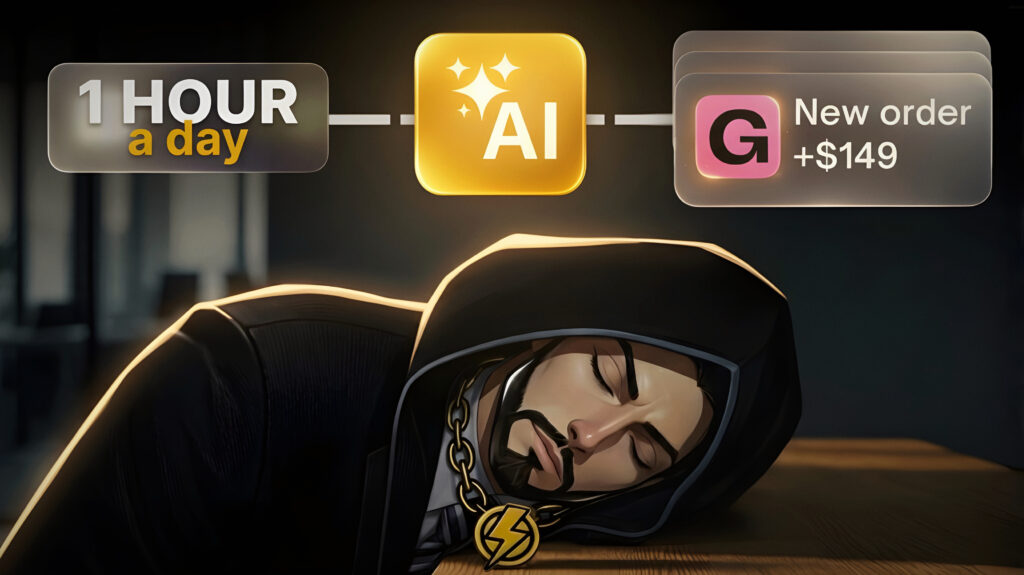
In 2026, the laziest way to make money with AI is no longer about doing one task faster — it’s about building systems that can handle multiple tasks on their own.
AI tools can now manage complete workflows, from finding leads to creating assets and even sending payment requests automatically.
This shift is changing how online businesses operate.
Instead of manually building portfolios, messaging clients, and managing delivery, a single AI system can automate the entire process in the background.
In this article, we’ll break down a simple AI setup that connects tools like MiniMax, automation workflows, and digital payments to create a system that runs with minimal daily input.
The AI System Nobody is Talking About
The idea behind this system is simple, but powerful. Instead of trying to convince someone to buy first, you show them the result before asking for anything.
That changes everything.
At the core, there are two main components working together. The first is an AI model capable of generating full portfolio websites from structured input. Instead of writing copy, designing layouts, or thinking about structure, the AI handles all of it in seconds.
The second part is an automation agent that runs continuously. It watches for new leads, processes their information, triggers the AI, and sends everything out automatically.
Once these two pieces are connected, the flow becomes very smooth. A freelancer submits their information, the system builds their portfolio, sends them a preview, and gives them the option to unlock it.
There’s no friction in that process. They’re not imagining the result, they’re already looking at it.
Part 1: Create All The Assets
Before setting up automation, you need a few basic assets. This part is straightforward, but it’s what everything else depends on.
The first thing you need is a Google Form where freelancers can submit their details. This is how your system collects clean, structured information that the AI can use.
Instead of explaining the structure here, you can use this exact template:
👉 MY GOOGLE FORM LINK
Once someone fills out the form, their data is automatically stored in a Google Sheet. That sheet acts as your database, where every new submission becomes a potential client.
Finally, you need a simple Gumroad product page. This is where people will pay after seeing their portfolio preview. Keep it clean, clear, and focused on what they’re unlocking.
Use this to generate a sales page description and cover image prompt:
Act as a high-level copywriter specialized in converting warm leads into buyers.
Context:
The customer has ALREADY seen a personalized portfolio preview made for them.
They are interested but not fully convinced yet.Your goal:
Write a HIGH-CONVERTING Gumroad product description that makes them feel like they should unlock their portfolio NOW.Requirements:
- Use emojis naturally (not too many, but enough to feel modern and premium)
- Keep it clean, simple, and persuasive
- Focus on transformation (more clients, more trust, better positioning)
- Make it feel like a no-brainer decision
- Avoid hype or fake promises
- Make it feel personal (like it was made for them)
- Structure it for readability (short paragraphs, spacing)
Include these sections:
- Hook (remind them they already saw their portfolio)
- What they’re unlocking (clear benefits)
- Why it matters (clients, credibility, positioning)
- What’s included (bullet points)
- Simple “how it works”
- Light urgency or motivation
- Strong CTA
Tone:
Premium, confident, simple, human — not salesy or spammy.ALSO:
At the end, generate a HIGH-QUALITY IMAGE PROMPT to create a wide banner for the sell page.
Banner requirements:
- Wide format (16:9)
- Clean, premium, modern look
- A freelancer looking at their laptop with a professional portfolio on screen
- Subtle glow or success feeling (not cheesy)
- Minimal background, focus on screen + person
- High-end startup style
- Soft lighting, realistic
- A small “50% OFF” badge placed in the top corner (clean, modern, not flashy)
Return:
IMAGE GENERATION PROMPT (for banner)
FULL SELL PAGE DESCRIPTION (ready to paste)
The Content Message:
Congratulations — your portfolio is now unlocked
You’ve just taken a real step toward positioning yourself professionally and attracting better clients.
Here’s what happens next:
You will receive an email within the next 12–24 hours containing your live portfolio link, ready to use and share with your audience.
No extra steps needed on your side, we’re preparing everything for you.
If you have any questions in the meantime, feel free to reach out.
Welcome in 🤝
At this stage, everything is ready. You have the input, the storage, and the payment system.
Part 2: Set Up The AI Automation (Runs 24/7)
The first thing you need to do is connect your Telegram to MaxClaw.
Start by creating an account on Telegram, then search for BotFather and click “Start”. From there, create a new bot. You can name it anything you want, like AI Portfolio Agency, and for the username, just add “bot” at the end.
Once the bot is created, Telegram will give you a token. This is important — copy it and save it, because you’ll use it to connect everything.
After that, search for a bot called “What’s my Telegram Chat ID”. Click start, then click “me”, and it will instantly give you your chat ID.
Now go back to MaxClaw and send this message:
Connect my Telegram bot using the following credentials:
Bot Token: YOUR_BOT_TOKEN
Chat ID: YOUR_CHAT_IDConfirm once the connection is successful.
Once you send it, your Telegram is officially connected.
That means MaxClaw can now send and receive messages directly from your phone or laptop.
Now it’s time to connect the automation layer.
Go to Make.com and create a free account. Inside the dashboard, create a new scenario and choose Google Sheets → Watch New Row.
What this does is simple: every time someone fills out your form, a new row is added… and this trigger detects it.
Connect your Google account, select your sheet, and make sure all the columns are included.
Then add another module: Telegram Bot → Send a Text Message. Use the same bot token and chat ID you created earlier.
Once you save the scenario and set it to run every 15 minutes, the system is already doing something powerful: it’s collecting leads and sending them directly to you, automatically.
Now comes the part that actually activates the system.
Here is the exact prompt used to run the system:
ROLE:
You are the Freelancer Portfolio Automation Agent for Mr AI Cash.TOOLS:
MiniMax M2.7 (for generating portfolio)
deploy (for deploying portfolio)FIXED LINKS:
GUMROAD_PAYMENT_LINK: https://YOUR-GUMROAD-LINKTRIGGER:
You receive lead data via email from Make.com webhook, sent through the Telegram bot.INPUT FORMAT (what Make.com sends you):
Full Name: [NAME]
Email: [EMAIL]
Niche: [NICHE]
Services: [SERVICES]
Target Clients: [TARGET]
Work Samples: [LINKS]
Testimonials: [QUOTES]
Brand Colors: [COLORS]
Preferred Style: [STYLE]
CTA: [CTA]GENERATE PORTFOLIO:
Use MiniMax M2.7 to generate a PREMIUM, MODERN, ANIMATED one-page freelancer portfolio.Design:
- Dark mode with glassmorphism
- Brand Colors as gradient accents
- Space Grotesk + Outfit fonts
- Smooth scroll, fade-up reveals, parallax, grain texture, custom cursor, hover effects
Include:
Hero, About, Services (3-5 cards), Why work with me, Process, Testimonials, FAQ, CTA, SEOSTYLE:
Premium, Creative, Modern dark aesthetic, High-end ($1000+ quality)CREATE PREVIEW:
Deploy the portfolio and generate a live preview link.SEND EMAIL (ON TELEGRAM):
TO: {{Email}}Subject:
Your portfolio is ready (50% unlock today)Body:
Hi {{Full Name}},I created a custom portfolio for you based on your services.
You can preview it here:
[PREVIEW_URL]If you’d like to unlock the full version and start using it with clients,
I added a 50% off code just for today.Use this code at checkout:
UNLOCK50GUMROAD_PAYMENT_LINK
After purchase, you’ll receive your live portfolio link within 12-24 hours — ready to use and share.
Let me know what you think.
RULES:
Do NOT stop or end the session. keep waiting for new leads
Only process one lead at a time, After completing a lead, WAIT on Telegram for the next lead to be sent to you
Once this is in place, the system becomes fully operational. It doesn’t need instructions anymore — it just runs.
Part 3: Getting Free Traffic & Buyers
With everything set up, the next step is getting people into the system.
You don’t need a complicated strategy here. The goal is simply to get freelancers to fill out your form. Once they do, the system takes over.
You can reach out to freelancers on platforms like Fiverr, Upwork, or even social media. The key is not to sell aggressively, but to point out an opportunity and invite them to test something.
A short, direct message works best. Something that feels natural and makes them curious enough to try it.
Here’s the exact message I used:
Hey, I came across your work and it’s actually solid, but I noticed your presentation could be bringing you way more clients.
I built a system that creates a custom portfolio for freelancers like you, and I can generate a preview for yours.
Takes 2 minutes:
[YOUR GOOGLE FORM LINK]
Once they fill out the form, the rest is automatic. Their portfolio gets created, the preview gets sent, and they’re given the option to unlock it.
At that point, you’re not chasing clients anymore. The system is doing it for you.
Part 4: Getting Paid (Watch Me Do It Live)
After around 24 hours, I started getting Telegram messages — five in total. That means five people went through the system. I was replying to them directly from my phone, without even opening my laptop, which shows how smooth the setup actually is.
Then I got my first sale… $75 from just five leads. That alone confirms the offer works. And the crazy part is I only contacted around 30 freelancers, which took about an hour, mostly because I was replying to their questions.
Now once someone buys, you still need to deliver the final portfolio.
To keep it simple, take the freelancer’s name and email from Gumroad, then go to MaxClaw and ask for the preview link. Always check it first.
Some people might think they can just use the preview link without paying, but those links expire automatically. So if they actually want to use it, they’ll come back and buy.
Now for the final step, which is hosting.
Take this prompt and send it to MaxClaw:
Package the complete portfolio project from /workspace/portfolio-shavon/ into a single downloadable .zip file for GitHub + Vercel deployment.
For this preview link: [YOUR_PREVIEW_LINK_HERE]
Include all required files:
– package.json
– vite.config.ts
– tsconfig.json
– index.html
– src/main.tsx
– src/App.tsx
– src/index.css
After creating the .zip file, upload it to CDN and provide the download link.
Download the HTML file, then upload it to GitHub by creating a new project. After that, go to Vercel, connect your GitHub, select the project, and deploy it.
Within seconds, you’ll get the final link ready to send to your client.
And just like that… the job is done.
Part 5: Scaling This Into $1K+/Day
Getting your first client is the easy part… scaling is where most people get stuck.
There are only two real ways to scale this system: with time, or with money.
The first way is simple. You just increase volume. That means sending more messages, not only on Fiverr, but also inside communities like Facebook groups where freelancers are active every day. Most of them are struggling to get clients, which makes it a perfect opportunity to step in with a solution.
Instead of just messaging people, you can also create posts that naturally attract them. Share a simple idea, show results, and attach portfolio examples you already generated. To make it easier, you can use this prompt to generate high-quality posts:
Write a short Facebook post targeting freelancers who struggle to get clients.
Keep it very short, direct, and written in 1–2 small paragraphs (not tall).
Style: human, simple, not salesy. Slight “truth” tone. Use a few natural emojis.
Include:
- A strong hook
- The real problem (low trust, bad presentation — not skills)
- A quick perspective shift
- A subtle mention of portfolio
End with a soft CTA inviting them to get a free portfolio preview (takes 2 minutes), with curiosity.
Put the link on a new line at the end:
[YOUR GOOGLE FORM LINK]
Avoid long explanations, bullet points, or corporate tone.
The second way to scale is by using money.
Instead of manually reaching out, you create simple ads and let them run continuously. You can run ads on platforms like TikTok or Facebook, targeting freelancers directly. The idea is to show them a clean, attractive portfolio example and make them curious enough to click.
Your Google Form becomes the entry point, and from there, your automation system takes over.
At this stage, the system is no longer dependent on you.
You can run it 24/7, bring in leads automatically, and focus only on scaling further.
And if you want to set everything up the same way, you can use MaxClaw to run the entire system smoothly.